Pixeluvo1.5.2
Publisher Description
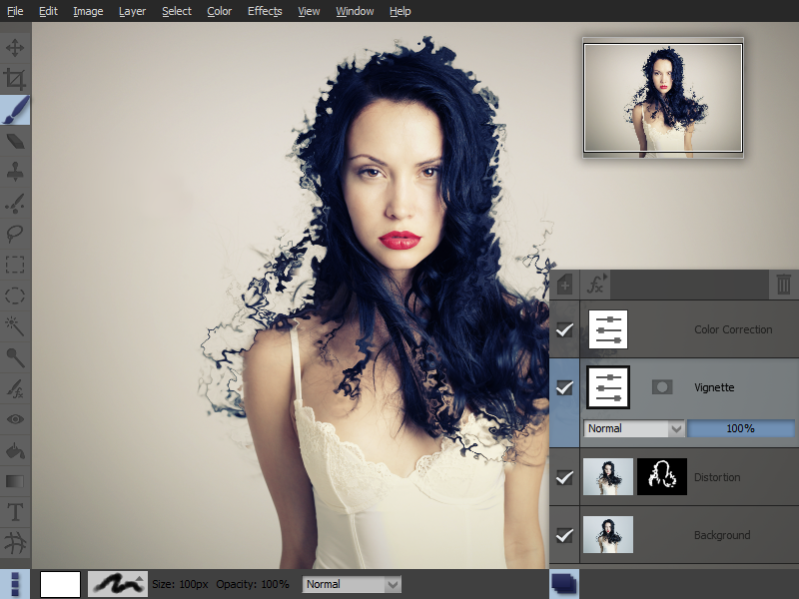
Pixeluvo is an image editing and photo manipulation application designed to be both powerful and easy to use.
It supports many advanced features such as non-destructive editing via adjustment layers, powerful color correction tools, realistic pressure-sensitive drawing tools and many image enhancement filters. It can handle all kinds of image editing requirements, from simple cropping and color adjustments to complex photo montage and digital painting.
With just a few clicks you can fix perspective distortion, quickly paint out blemishes with the spot-heal tool, add a vignette to your photos and much more.
Crop and resize images quickly and easily
Create projects with any number of layers
Large selection of high-quality filters
Complete set of high-quality color adjustments
Full support for raw camera files
Fix color casts and contrast with a few simple clicks
Full set of painting tools
Editable adjustment layers and text layers
Clean and modern user-interface
About Pixeluvo
This Editors program is available in English. It was last updated on 29 September, 2026. Pixeluvo is compatible with the following operating systems: Linux, Windows.
The company that develops Pixeluvo is Pictopotamus. The latest version released by its developer is 1.5.2. This version was rated by 1 users of our site and has an average rating of 5.0.
The download we have available for Pixeluvo has a file size of 29.4 MB. Just click the green Download button above to start the downloading process. The program is listed on our website since 2014-05-20 and was downloaded 435 times. We have already checked if the download link is safe, however for your own protection we recommend that you scan the downloaded software with your antivirus. Your antivirus may detect the Pixeluvo as malware if the download link is broken.
How to install Pixeluvo on your Windows device:
- Click on the Download button on our website. This will start the download from the website of the developer.
- Once the Pixeluvo is downloaded click on it to start the setup process (assuming you are on a desktop computer).
- When the installation is finished you should be able to see and run the program.
Program Details
System requirements
Download information
Pricing
Version History
version 1.5.2
posted on 2014-05-20
Open files directly onto layers
New Photocopy filter
Auto create masks when adding adjustment layers
Improvements to masking workflow
Many optimisations and bug fixes
version 1.1
posted on 2013-09-10
Many improved filters, optimized spot heal tool, faster and more accurate color corrections.
